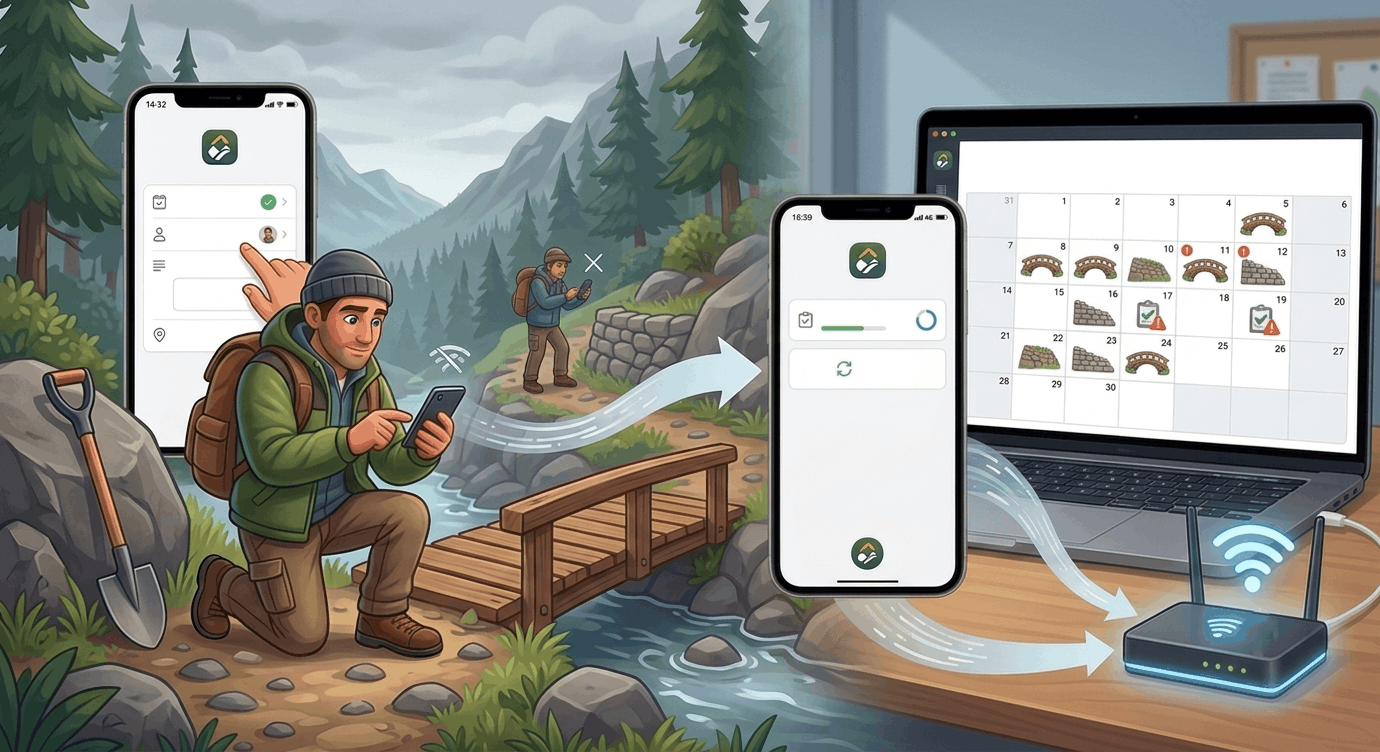
Work anywhere, even offline
Sentinel 2.6 pushes the limits of fieldwork: even with no connection at all, your team keeps working as usual. Tasks, time, and structures stay fully editable offline, and everything syncs automatically the moment the network is back — no data loss, no double entry, no manual steps.
This is a rare capability in field-management tools: most require a connection for the smallest change. Sentinel works wherever your trails take you — deep in the woods, up a mountain, anywhere without cellular coverage.
Editable tasks offline — Create, edit, complete, or delete tasks with no connection. Change the status, assignment, priority, description, or location — everything stays available. Your changes appear immediately in the list, on the map, and in the detail view, exactly as they would online.
Time logging offline — Log the time spent on a task right in the field, even without a network. Logged hours are kept locally and sync automatically once the connection is restored.
Structures and inspections offline — Create a structure and fill out its inspection report right away, with no connection — even for a structure you just created offline. Photos, evaluation answers, and reports are queued and synced together as soon as the network returns.
Automatic sync and merge — As soon as the connection is back, Sentinel sends your changes in the background. If a teammate edited the same task in the meantime, Sentinel automatically merges the non-overlapping changes (one changes the name, the other the status → both are kept). Only genuine conflicts — the same field changed differently on both sides — are surfaced for you to resolve. No manual merging in the vast majority of cases.
Inspection calendar view
In the web app, the Structures section gains a third view mode: a calendar view that lays out the upcoming inspections to be done, month by month.
A clear overview — Each structure appears on the date of its next scheduled inspection, calculated from its latest report. At a glance, you see what's coming up this month and plan your rounds accordingly.
Overdue at a glance — Overdue inspections are clearly flagged, so no deadline slips through unnoticed.